


Knit Away
4.81.16K Reviews
App Specs
- Version
- 3.1.11
- Updated On
- License
- Free
- Downloads
- 1,000,000+
- Developer
- PixOn Games
- Categories
- Puzzle
- Platform
- Android
Screenshots
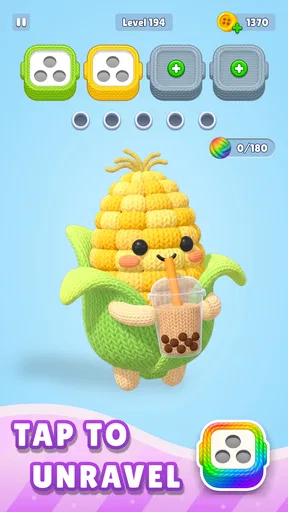
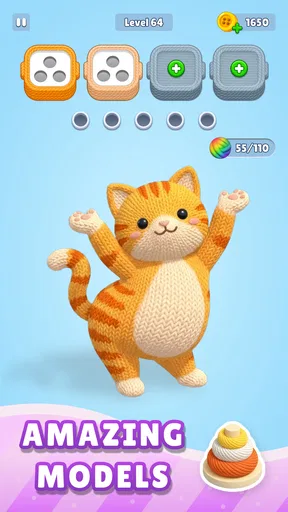
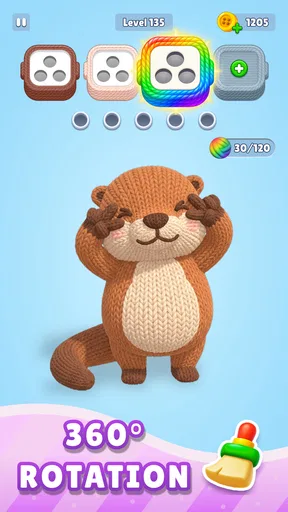
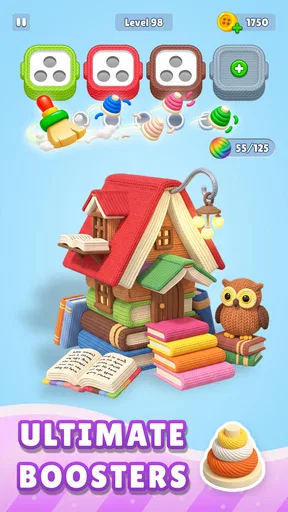
 Analysis by AppCompare
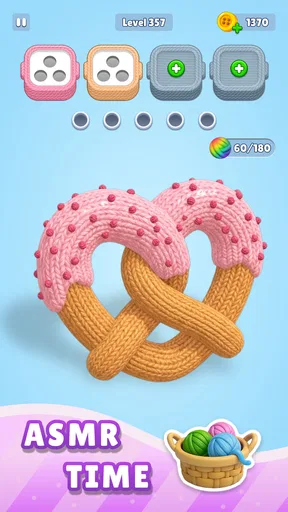
Knit Away is best judged as a short puzzle break, not as a lesson in real-world knitting. I like the idea of settling into a colorful visual task when I want a little focus without committing to a long game. Its central appeal is the compact loop: make a move, see the board respond, work toward a completed puzzle, then decide whether I’m ready for another. That makes it easier to fit into spare moments than a sprawling strategy game, though it may feel too gentle if you want complicated rules or constant pressure.
A simple first move, with a clear goal
PixOn Games made this puzzle game for players who want to get straight to the activity. Rather than asking me to learn a large set of systems before I can enjoy it, the knit-themed presentation gives the experience a clear identity from the start. The store’s brief description calls it “Knit Away,” but the useful question for a player is whether the puzzle loop suits the kind of break they want: calm, visual, and centered on making progress one decision at a time.
I find that framing helpful when deciding where it belongs in a daily routine. It is a more natural fit for a few minutes between tasks than for an evening set aside for a deep, demanding game. If I have enough attention for a small challenge but not enough for a long session, a puzzle like this can occupy that in-between space. The trade-off is that players who need a strong narrative, competitive stakes, or a more involved learning curve may not find the same pull here.
The satisfying rhythm of move and response
The appeal of this kind of puzzle depends on the connection between an action and its feedback. I make a move, check how it changes the arrangement, and use that result to choose what to do next. That immediate cause and effect is what gives a modest puzzle its rhythm: each decision offers a small reason to stay engaged, while the visual theme keeps the task from feeling like an abstract grid exercise.
That rhythm also makes it easier to pause without losing the point of the session. I can approach a puzzle as a focused interval rather than a commitment to keep playing until a long story reaches its next chapter. For me, the best use is to give it my attention for a short stretch instead of tapping through while distracted. A puzzle is only relaxing when I can actually follow what is changing, and hurried play can turn a gentle task into needless trial and error.
Completion gives the session its reward
Finishing a puzzle supplies a natural payoff: the scattered task has reached a satisfying endpoint, and I can choose whether to stop or continue. That sense of completion is small but useful. It suits anyone who enjoys visible progress without needing a leaderboard or a competitive match to make a few minutes feel worthwhile. The knitted look gives that progress a softer character than the sharper, more mechanical presentation common in many logic games.
There is a practical limit to that reward, though. A completed puzzle is not the same as mastering a broad system, and the appeal may fade if you want each session to unlock a meaningful new layer of strategy. I would treat the pleasure as a series of tidy, self-contained wins rather than expect a major narrative payoff. If you enjoy that kind of modest closure, it is easy to understand why people return; if you need a persistent goal, a more progression-heavy puzzle game may serve you better.
Worth Reading Before You Choose

EA SPORTS FC Mobile 26 Is a Bigger Football Game, but It Takes Time

Flipboard Shows What News Apps Must Do Beyond the Feed

Switching to Android Auto Means Rethinking Your Driving Routine

Google Calendar Makes a Crowded Week Easier to Manage

Ludo King Makes the Most of the Minutes Between Plans

Baby Panda World Brings Quick Play to Modern Phones, but Its Game Library Feels Busy
Getting Started with Knit Away
As soon as I opened Knit Away, I was greeted by a warm, welcoming interface. It felt like the app was gently nudging me into a cozy world of yarn and patterns. For a newbie like me, the ease of navigation was a huge plus. I started with the basics, and the app did a fantastic job of breaking down each step. It's like having a patient knitting guru right in your pocket!
The app offers a variety of patterns, from simple scarves to more intricate sweaters. I decided to start with a basic scarf, and to my surprise, the app provided not just the pattern but also a video tutorial. I’m a visual learner, so being able to see each stitch was incredibly helpful. The instructions were clear, and the pace was just right for someone who had never picked up knitting needles before.
Features You'll Love
One of the standout features of Knit Away is its community section. Here, you can connect with other knitters, share your projects, and get feedback. It's like being part of a global knitting circle! The app also has a nifty tool that allows you to track your progress. You can tick off each row as you complete it, which is immensely satisfying and keeps you motivated to finish your project.
I also appreciated the built-in glossary of knitting terms. Whenever I stumbled upon a term I didn’t understand, a quick search in the glossary cleared things up. It’s these thoughtful details that make the app so user-friendly.
Why Knit Away Stands Out
Knit Away isn’t just about following patterns; it’s about learning and growing your skills. The app offers challenges and new techniques to try out once you’ve mastered the basics. I found myself eagerly trying out new stitches and techniques, often with hilarious results, but it’s all part of the learning curve.
The app's design is sleek and modern, making it a pleasure to use. I particularly enjoyed the option to customize the color scheme of the interface, which added a personal touch to my knitting experience. It’s small details like this that make the app so enjoyable to use.
Choosing a game for the moment you have
In the puzzle category, the usual alternatives often ask for either speed, a chain of increasingly tricky logic, or a score to beat. I would choose this game instead when I want an approachable visual task and a gentler pace. For a commute, a quiet waiting room, or a short pause after finishing a chore, that low-pressure feel can be an advantage. If I were in the mood to test a complex strategy or compete against another player, I would reach for a different kind of puzzle instead.
A useful way to keep the experience enjoyable is to set a small stopping point before I begin: finish the current puzzle, then decide whether I genuinely want another. That avoids turning a relaxing break into automatic tapping. It also makes the completion loop work in the game’s favor: the clear endpoint gives me a clean reason to stop, while the possibility of another manageable challenge gives me a reason to return later.
Who will enjoy it, and where it may fall short
I’d recommend this to casual players who like a colorful presentation and prefer progress in small chunks. It is also a reasonable pick for someone who wants a calm alternative to time-pressured arcade play. The age rating is Everyone, and the game is free to download, so it is easy to consider as a low-commitment try. Its average rating is 4.8 from around 27,000 ratings, with over one million installs; that popularity is reassuring, but it does not guarantee that its pace will suit every player.
The main limitation is also part of its appeal: a gentle puzzle can feel repetitive to someone who wants dramatic changes from one session to the next. If your favorite games depend on a deep campaign, intricate mechanics, or social competition, this is probably not the strongest match. I would also keep the optional spending in mind: in-app purchases range from $0.99 to $99.99 per item. I’d decide what I’m comfortable spending before browsing purchase options, especially if I’m trying the game casually.
Making each short session count
For a realistic everyday example, I can picture opening it while waiting for an appointment, completing one puzzle, and putting my phone away when that task is done. That is a better fit than starting when I have only a few seconds or when I’m too distracted to notice the board’s response. The small practical tip is to treat each move as information: pause long enough to see what changed before choosing the next one. That keeps the play intentional and makes the feedback part of the fun rather than a blur.
If I were choosing between this and a conventional number-grid or word puzzle, I’d base the decision on mood more than difficulty. Those familiar formats may be preferable when I want a spare, purely logical challenge; the knitted visual identity here is more appealing when I want the task to feel softer and more playful. It is not a substitute for learning to knit with yarn and needles, either. The theme may suggest that craft, but the game’s appeal is as a puzzle experience, not as practical instruction.
Practical details before you install
The game is free, carries an Everyone age rating, and requires Android 6.0 or later. Version 2.3.3 is the current version, and PixOn Games is the developer. Those details make it straightforward to check whether it fits your device and household before installing. I’d still think about the kind of play you actually enjoy: the best reason to try it is the promise of a compact, colorful puzzle break, not an expectation of a full knitting course or a demanding strategy game.
My overall view is that it is most convincing when I approach it on its own terms: a gentle puzzle for a spare moment, with an accessible feel and a clear finish to each small stretch of play. I would skip it if I wanted intense competition or a substantial long-term campaign, but I can see its value for anyone who likes visual tasks and tidy moments of progress. If that sounds like the sort of reset you want, it is worth giving a session a try and seeing whether the loop earns another.
Final Thoughts
After spending a few weeks with Knit Away, I can confidently say that I’ve transformed from a complete novice to someone who can proudly knit a decent-looking scarf. The app has not only taught me how to knit but has also provided a creative outlet that I never knew I needed. Whether you're a seasoned pro or a curious beginner like me, Knit Away has something to offer.
So, if you’re looking to pick up a new hobby, or simply want to refine your knitting skills, give Knit Away a try. It’s more than just an app; it’s a community, a teacher, and a source of endless inspiration.
Pros
- User-friendly interface for beginners.
- Wide range of knitting patterns available.
- Offline access to patterns and tutorials.
- Interactive knitting tutorials included.
- Regular updates with new patterns.
Cons
- Limited customization options for patterns.
- Some features require in-app purchases.
- Occasional syncing issues with cloud.
- App size is relatively large to download.
- Limited support for advanced knitters.
FAQs for Knit Away
What is Knit Away and how does it work?
Knit Away is a mobile app designed for knitting enthusiasts, offering a comprehensive platform to manage projects, track progress, and access a variety of patterns. The app allows users to upload their projects, set goals, and receive step-by-step instructions. With a user-friendly interface, Knit Away simplifies the knitting process for both beginners and experts.
Is Knit Away suitable for beginners?
Yes, Knit Away is ideal for beginners as it provides easy-to-follow tutorials and beginner-friendly patterns. The app includes detailed instructions and video guides to help new knitters learn the basics and gradually tackle more complex projects, making it a great learning tool for those new to knitting.
Does Knit Away offer a variety of knitting patterns?
Knit Away boasts an extensive library of patterns, catering to different skill levels and project types. From simple scarves to intricate sweaters, users can find patterns that suit their preferences. The app regularly updates its collection to include trending and seasonal designs, ensuring a diverse selection for all users.
Are there any social features in Knit Away?
Yes, Knit Away includes social features that allow users to connect with fellow knitters. Users can share their projects, follow other knitters, and participate in community challenges. This feature fosters a sense of community, enabling users to exchange tips, receive feedback, and find inspiration from others.
What platforms is Knit Away available on?
Knit Away is available for both Android and iOS devices. Users can download the app from the Google Play Store or Apple App Store. It is optimized for smartphones and tablets, ensuring a smooth user experience across different devices. Regular updates keep the app compatible with the latest operating systems.


